

Savings Goals Widget
The Savings Goals widget enables customers to set and track progress towards personal savings goals, helping them stay accountable to the things they're saving for, whether that's a holiday, a car or a house deposit.
If you're interested in Savings Goals but do not wish to use Bud's widget you can integrate directly with our Savings Goals API's.
Bud's savings goals work as a ledger, they track how a customer allocates money within a deposit account towards specific goals. The widget doesn't move money between accounts.
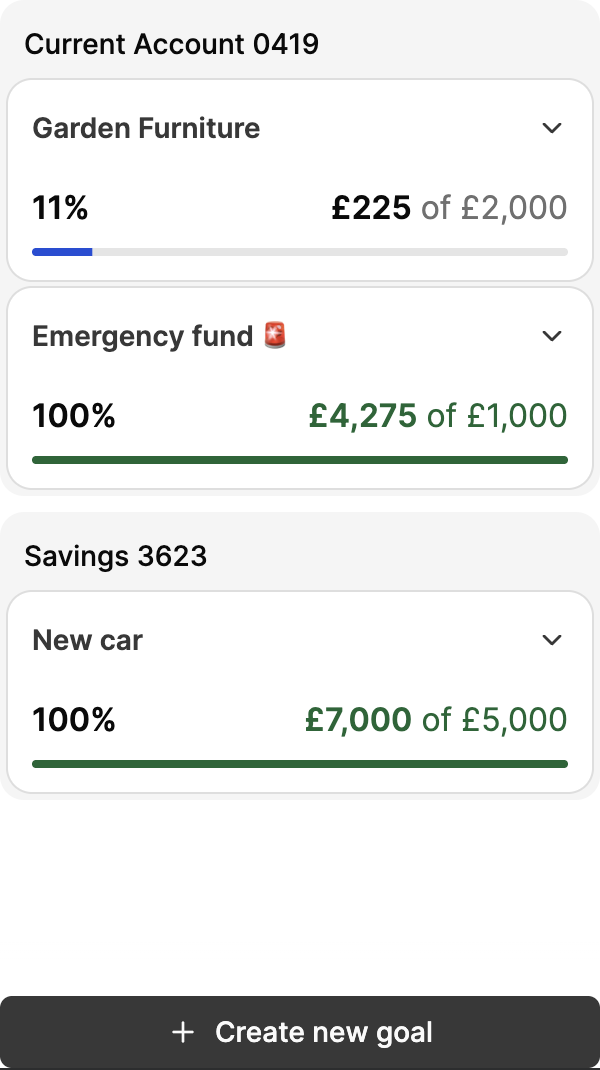
Goal overview
How it works
Creating a goal
-
If creating your first goal, click Create goal
- Otherwise, click + Create new goal at the bottom of the screen
-
Enter a name for your goal
-
Enter your target amount, click Next
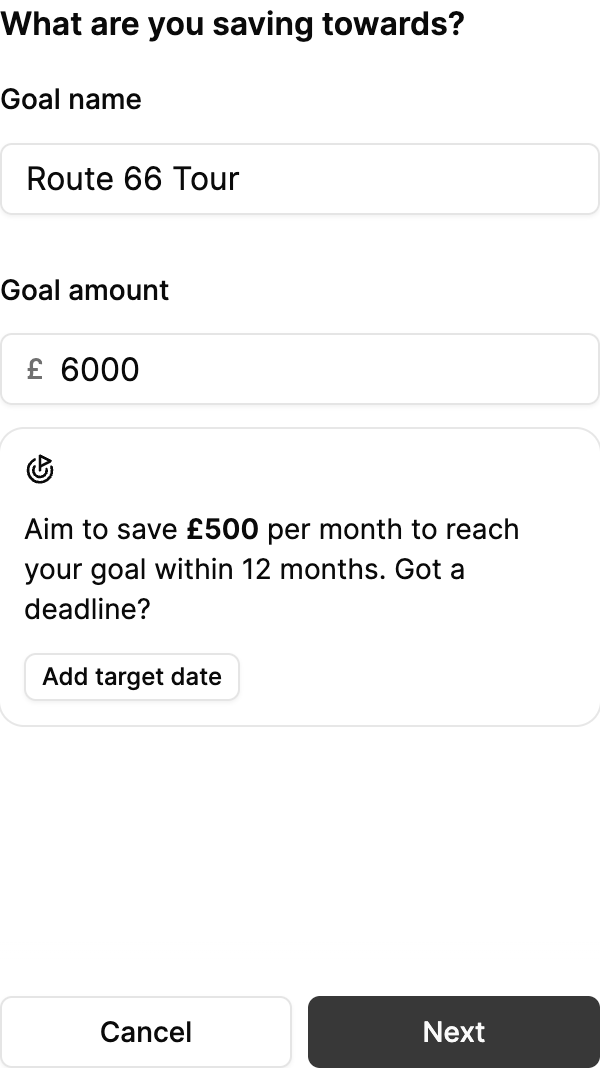
Creating a goal
-
Optionally, set a target date for when you'd like to reach your goal
-
Select the deposit account you'd like to link this goal to
-
If first savings goal, click Save goal
-
Otherwise, click Next
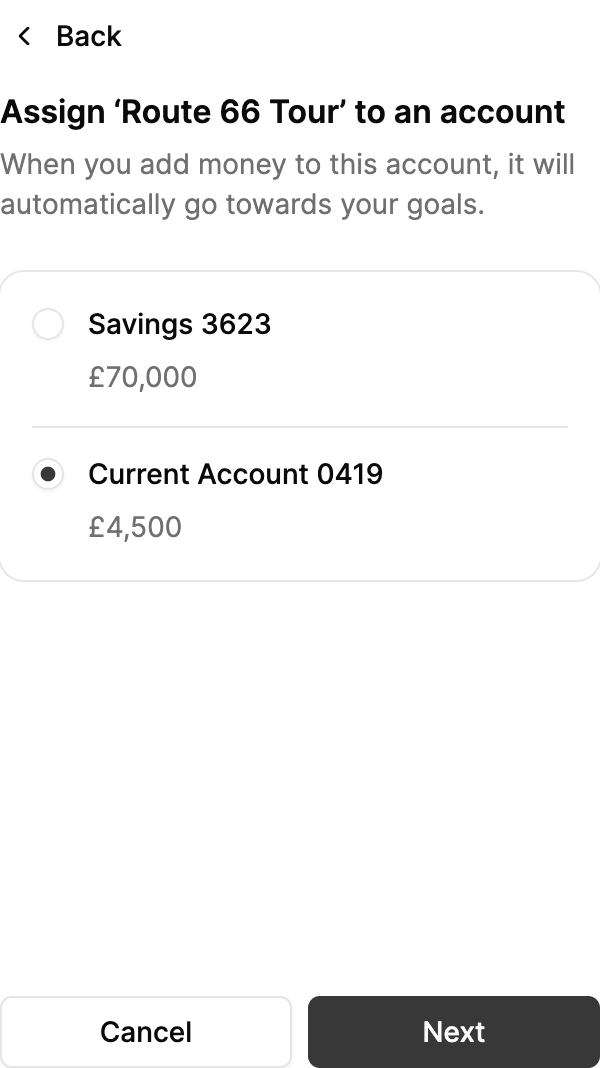
Assigning an account
-
-
If an account already has other goals assigned, select the accounts balance allocation for each goal associated with the chosen account
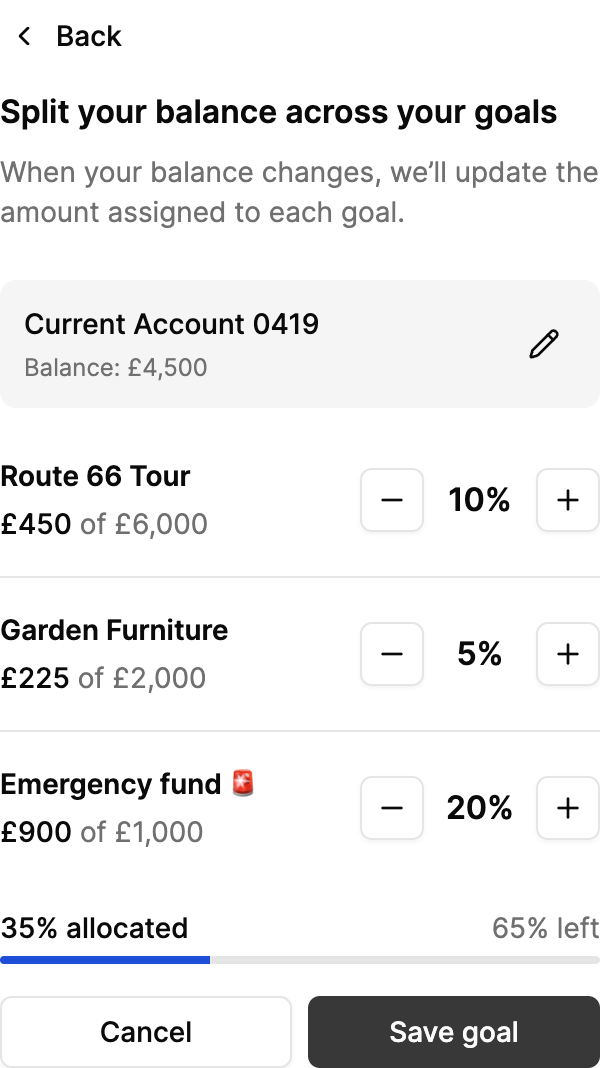
Balancing an account
Goal allocations are bounded by the balance of the linked deposit account. You can only allocate up to 100% of your accounts balance between all associated goals. The first goal for a chosen account will always be given 100% balance allocation.
Editing a goal
-
Expand the goal you'd like to edit
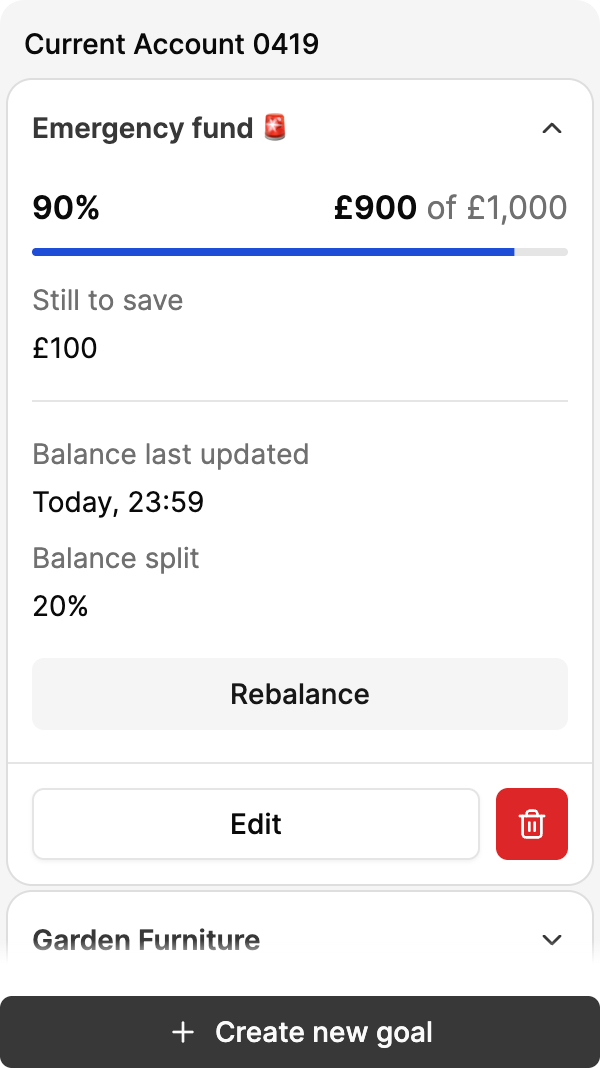
Editing a goal
-
Click Edit
-
Update the goal's name, target amount and date, linked account or balance allocation as required
-
Click Save Goal
Deleting a goal
-
Expand the goal you'd like to delete
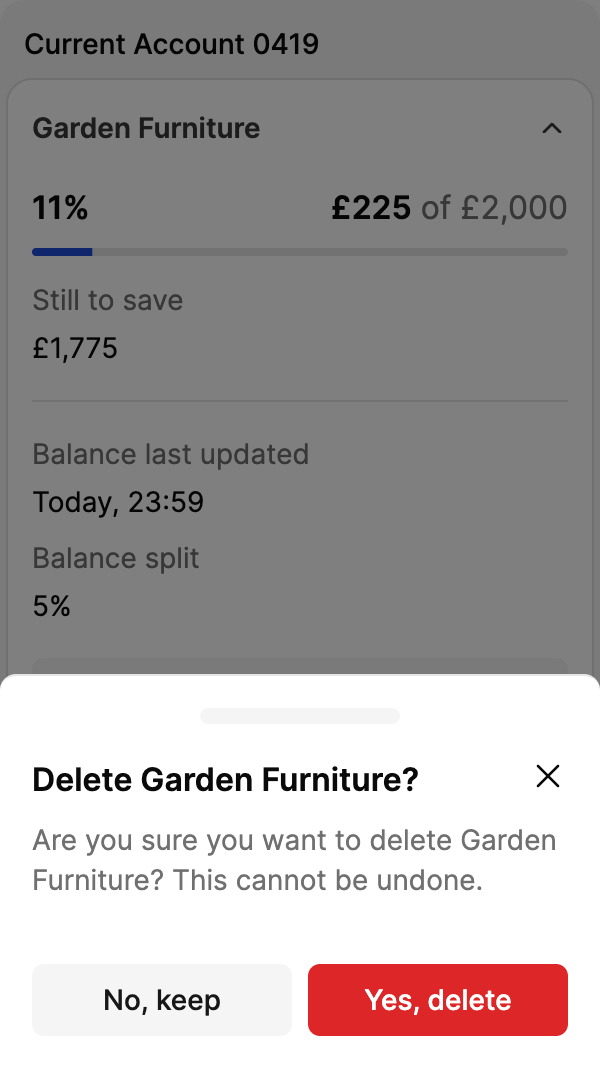
Deleting a goal
-
Click Delete
-
Confirm deletion by clicking Yes, delete
Customisation
The following customisations can be applied, by appending search parameters to the generated URL:
enable_accounts_filter- Enables account filtering by a list of the customers account
- For example
https://widgets.thisisbud.com/savings-goals?token=an-example-token&enable_accounts_filter
enable_user_preferences_sync- Syncs account selection across widgets. The value you set controls whether the widget both sends and receives selections, or only receives them
- (no value) = Two-way sync. Selecting accounts in this widget updates every other widget that has the parameter. Selections made in those widgets also update this one
https://widgets.thisisbud.com/savings-goals?token=an-example-token&enable_user_preferences_sync
receive_only= Sub-filters. Selections in other widgets filter the accounts shown here. Changes made within this widget are not sent to other widgetshttps://widgets.thisisbud.com/savings-goals?token=an-example-token&enable_user_preferences_sync=receive_only- Use
receive_onlywhen this widget should follow the account selection made elsewhere, for example when your application has a global account filter and you want to sub-filter only on this widget
Updated 3 days ago